
 CAD
CAD
 USD
USD
 EUR
EUR
Sunset over the Pacific
#fde0c5
#fcb27a
#f47b51
#c34a5e
#5b3a8c
#1a1f4d
Upload any photo to extract a clean color palette in seconds. HEX, RGB, HSL, CMYK, and Pantone codes ready to copy.
JPG, PNG, or WebP. Upload up to 10 at once for batch palettes.
Your file stays in your browser, nothing is sent to a server.

Enter any color to open its page: shades, tints, harmonies and the palettes it lives in.
Tap generate or press the spacebar for a new palette, as many times as you like. Lock the colors you keep, and click any color to copy it.
Ready-made color schemes for your next project. Click any color to copy its hex, or load a palette to get every format and a PDF report.
Hundreds of curated palettes organized the way you actually search for them.
Upload any image and the tool generates a full color palette in seconds. Every color comes with its HEX, RGB, HSL, and CMYK values, ready to copy or download as a branded PDF report. Free, no signup, no watermarks.
Explore more free tools:RGB to CMYK converter ·Remove background ·Image upscaler
Everything you need to know about the color palette generator.
Yes. The tool is completely free with no signup, no watermarks, and no usage limits. Generate as many palettes as you want, extract from as many photos as you need, and use the colors anywhere, including commercial work, brand identity, and print production.
The color palette generator supports JPG, PNG, and WebP files. You can upload directly from your computer, drag and drop, or paste an image URL. Batch upload works when you want to build a full brand palette from a photo set in one pass.
Adjust the palette size to your needs. The default returns a full palette pulled from the most dominant tones in your image, which works for most brand and design use cases. Use a smaller palette for a tight brand system, or a larger one for editorial and illustration work.
Yes. Click Download PDF report to save a branded PDF of your palette that includes every color with its HEX, RGB, HSL, and CMYK values. The PDF is generated instantly in your browser, free, and never watermarked. Use it for client presentations, brand guidelines, print briefs, or your own reference.
Yes. Every extracted color comes with a CMYK value calculated for standard coated stock, ready to send straight to a printer. If you need to convert an existing RGB value on its own, our RGB to CMYK converter handles it in one click.
Yes. The tool maps every extracted color to its closest Pantone equivalent using CIEDE2000, the industry-standard color difference formula. For brand-critical work, confirm the match against a physical Pantone book under standard lighting before going to press.
No. Your image stays in your browser the entire time. The color extraction runs locally on your device, so nothing is uploaded, stored, or shared. This makes the tool fast, private, and safe for confidential work, including unreleased brand assets and client photos.
Yes. Everything you extract is yours to use however you want, including commercial projects, client work, brand identity systems, product packaging, marketing collateral, and print production. There is no licensing and no attribution required.
Copy the HEX codes directly into the Figma or Canva color picker. For Adobe Creative Cloud, copy the HEX or RGB into Photoshop, Illustrator, or InDesign swatches. If you are handing the palette to a designer, share the full list of codes so nothing gets lost.
Yes. Every palette comes with CMYK and Pantone values, so you can go straight from screen to press. Jukebox prints business cards, custom stickers, postcards, brochures, and roll labels in your exact palette with precise color reproduction.
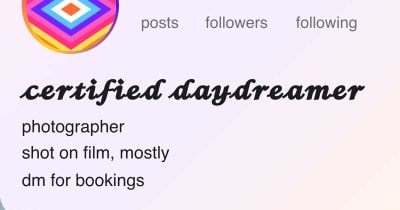 Font generatorCopy and paste fonts for Instagram, TikTok and Discord biosNew
 Gradient makerMake vibrant custom gradients for web and print instantlyNew
 Bitmap makerTurn any photo into 1-bit dither and halftone bitmap artNew
 Pattern generatorTurn any color palette into seamless geometric patternsNew
 RGB to CMYK converterTrue CMYK conversion with a print ready download in seconds
 Background removerCut out the background from any image in one click
 Image upscalerSharpen and enlarge photos up to 4x without losing detail
 Contrast checkerCheck color contrast for accessible, readable designs
 Convert DOC to PDFTurn any Word document into a print ready PDF instantly
 Business card makerCreate custom business cards and download print ready files
 Sticker sheet makerArrange your designs and print custom sticker sheets
 Sticker makerDesign custom die cut stickers in any shape from your artwork
 Instagram name makerTurn your Instagram handle into a custom sticker in seconds
Not to worry. Enter the email address you used when you joined and we’ll send you instructions to reset your password.



