
 CAD
CAD
 USD
USD
 EUR
EUR
Azure
#d4eaf2
Hex, rgb, cmyk and Pantone values for azure, with shades, tints, matching colors and free print quality patterns.
Azure sits in the blue band, pale and soft. Pale blues like this read clean and calm, common in health and tech. It pairs with warm neutrals for balance, or with a brighter accent for contrast.
Azure color values
Every conversion for #d4eaf2, ready to copy. Hex, rgb, hsl, hsv, cmyk, cie-lab, xyz, decimal, web safe and the nearest Pantone.
Shades of azure
Tints of azure
Colors that go with azure
Azure in print
In print it lays down as a whisper of ink, so keep it off small text where it can vanish. The cmyk build is 12, 3, 0, 5.
The same color needs a different cmyk build depending on the paper. Here is #d4eaf2 on both.
This color converts to cmyk comfortably and should hold on press.
See how it converts in the rgb to cmyk converter, or readrgb vs cmyk for print andwhat the k in cmyk means.
Azure in css
Copy #d4eaf2 straight into your stylesheet.
.background { background-color: #d4eaf2; }
.text { color: #d4eaf2; }
.border { border: 2px solid #d4eaf2; }
How azure looks on light and dark
Azure and accessibility
Contrast ratios for #d4eaf2 against black and white text, measured to the WCAG standard.
Use black text on this color for readable body copy. To test #d4eaf2 against any other color, not just black and white, run the pair through ourcontrast checker for a live WCAG reading.
Azure on a business card, sticker and pattern
A quick look at how #d4eaf2 sits on real print products. Start any of these in the maker.
Building a full palette around azure? Pull matching colors from any photo with thecolor palette generator, or check a design for print with thergb to cmyk converter.
Turn azure into a seamless pattern
Four patterns built from #d4eaf2 and its shades, free at print quality. Click any one to keep editing in the pattern maker.
Make posters, wallpaper and packaging art from azure, free and print ready.
Open in pattern makerHow we calculate these values
Every value on this page for #d4eaf2 is computed, not guessed. Rgb, hsl, hsv, lab and xyz are derived through the usual sRGB conversion formulas. The coated and uncoated cmyk builds differ because uncoated stock absorbs more ink and gains dot, so the same color needs a heavier, slightly duller build on press. For Pantone we return the nearest reference by perceptual distance, which gets you close but is not a substitute for a physical swatch book.
More free tools for your next project
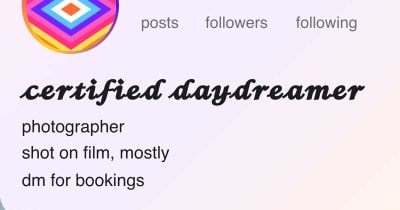 Font generatorCopy and paste fonts for Instagram, TikTok and Discord biosNew
 Gradient makerMake vibrant custom gradients for web and print instantlyNew
 Bitmap makerTurn any photo into 1-bit dither and halftone bitmap artNew
 Pattern generatorTurn any color palette into seamless geometric patternsNew
 RGB to CMYK converterTrue CMYK conversion with a print ready download in seconds
 Background removerCut out the background from any image in one click
 Image upscalerSharpen and enlarge photos up to 4x without losing detail
 Contrast checkerCheck color contrast for accessible, readable designs
 Convert DOC to PDFTurn any Word document into a print ready PDF instantly
 Business card makerCreate custom business cards and download print ready files
 Sticker sheet makerArrange your designs and print custom sticker sheets
 Sticker makerDesign custom die cut stickers in any shape from your artwork
 Instagram name makerTurn your Instagram handle into a custom sticker in seconds


